 Physix Frontier
Finding the Final Version Among 10 Docs: DeepSeek Harness Cited Sources, But Got One Detail Wrong
The most troublesome error when organizing materials is when the AI writes conclusions and sources so completely that it looks like it has already been verified.
I encountered exactly this kind of error this time.
DeepSeek Harness wrote in the results:
Meeting minutes from 09-04 and 09-07 follow the same member roster convention (MTG-02 Line 3, MTG-03 Line 3; neither lists attendees separately).
I opened the two referenced source files. Both Line 3s only contained meeting dates, with absolutely no attendee lists.
The September 2nd meeting minutes did list 4 people, but this does not prove that the September 4th and 7th meetings had the same 4 people.
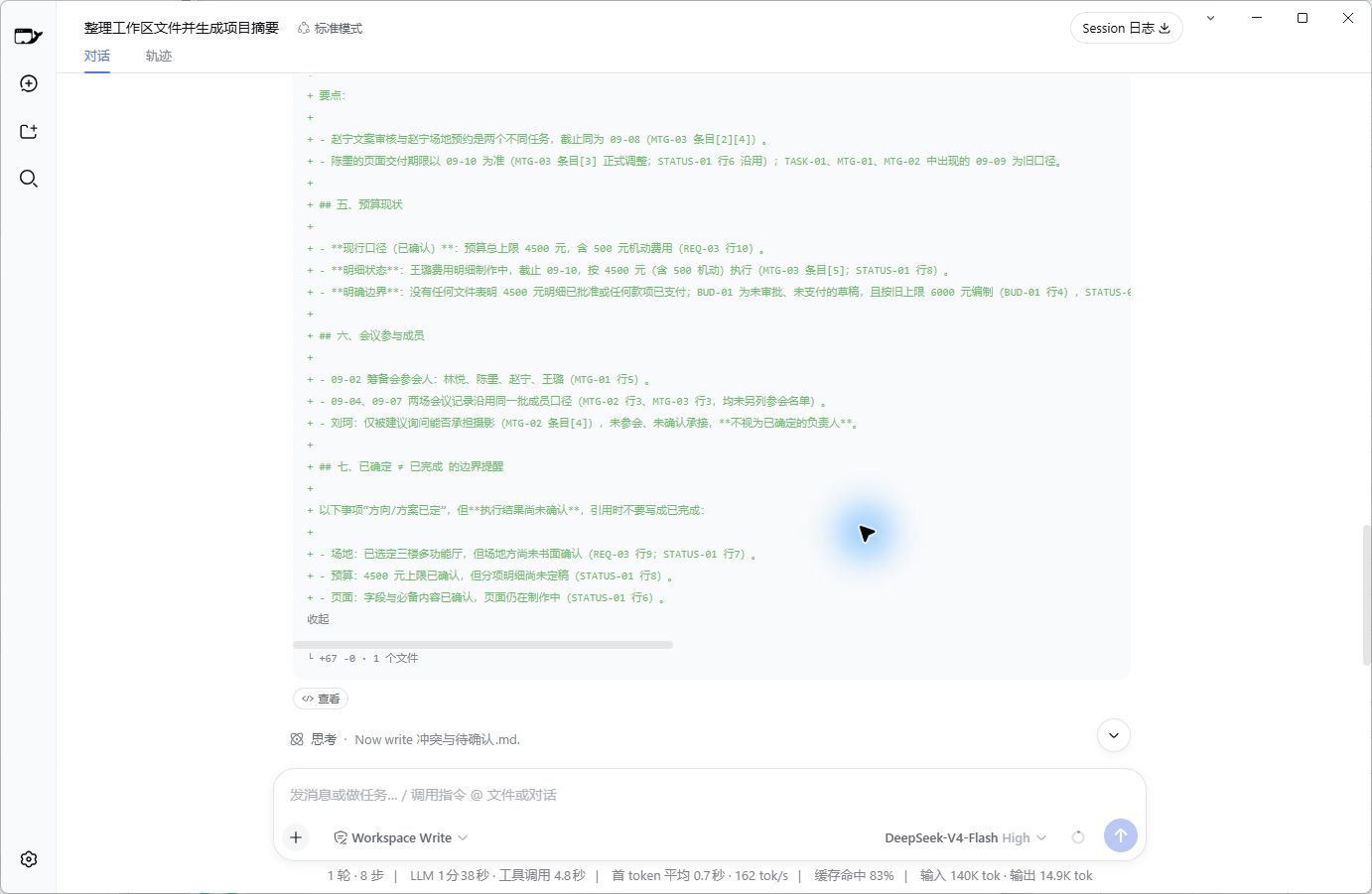
Figure 1 | This is a real operational record from this round. The statement "follows the same member roster convention" is not supported by the cited original text.
This sentence should be changed to:
The attendee list for September 2nd is explicitly stated; records for September 4th and 7th do not list complete attendee rosters, so it cannot be confirmed if they are identical.
This article focuses on one thing: After the AI provides sources, how do I judge whether the statement is usable?
Having a Source Doesn't Mean the Source Supports the Whole Statement
This test used the same 10 simulated project documents from the previous post. They included 3 requirement versions, 3 meeting minutes, plus an old task list, progress updates, venue alternatives, and budget drafts.
The materials are simulated; characters and events are fictitious. Operations, generated files, and screenshots come from this real run.
In my detailed task for DeepSeek Harness, I included two requirements:
• Attach source files and locatable entries for each fact.
• Do not fabricate missing information; do not write suggestions as decisions.
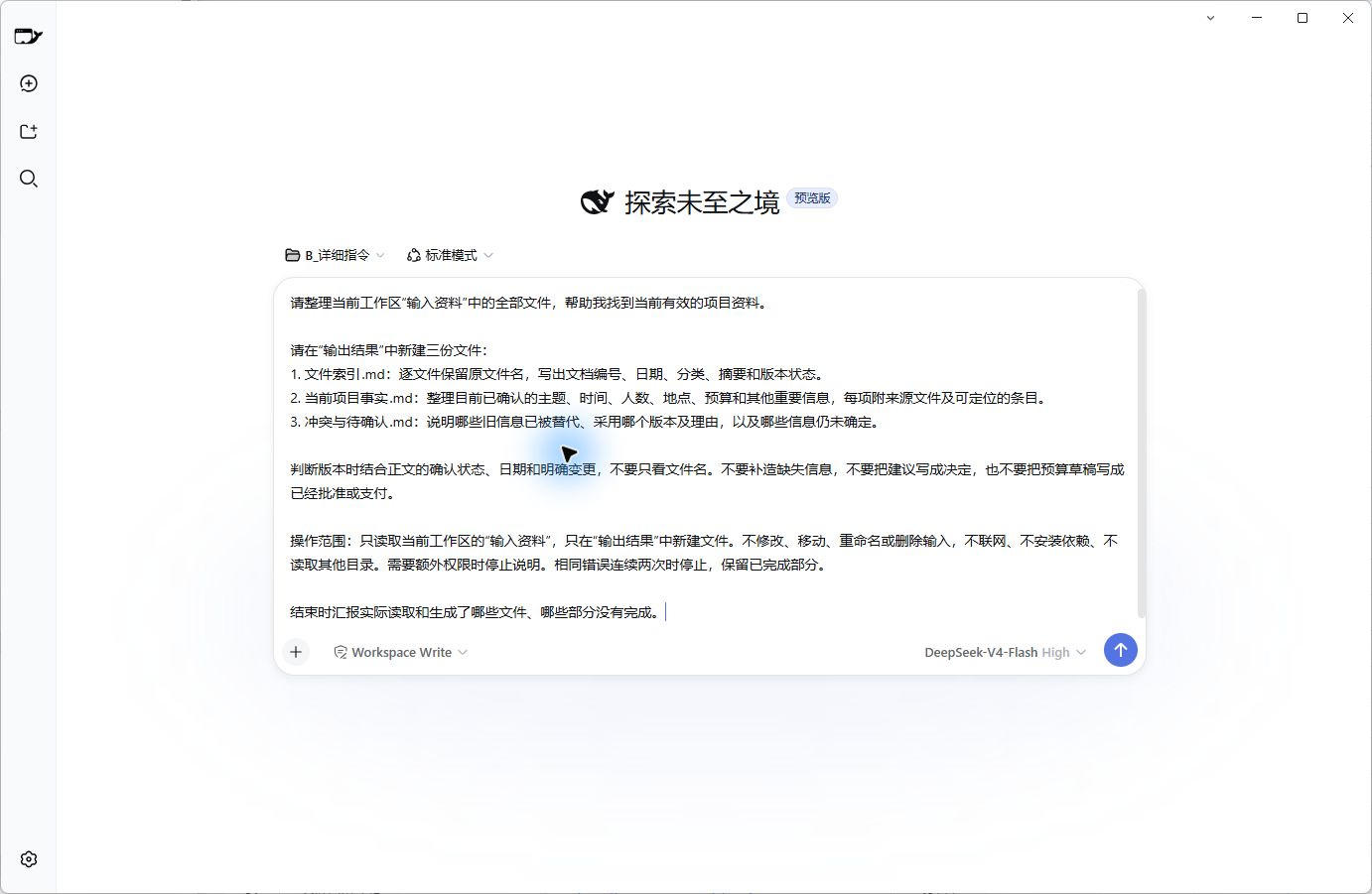
Figure 2 | Task actually sent. Model: DeepSeek-V4-Flash, Reasoning Level: High, Workspace Write Mode.
It read the 10 files and generated 3 results as requested: File Index, Current Project Facts, and Conflicts & Pending Confirmations.
Key information like time, headcount, budget, and venue was processed mostly correctly. For example, it adopted the 4,500 RMB budget, retaining the note "includes 500 RMB contingency"; it listed the selected venue as the 3rd-floor multi-function hall, noting that written confirmation had not yet been obtained.
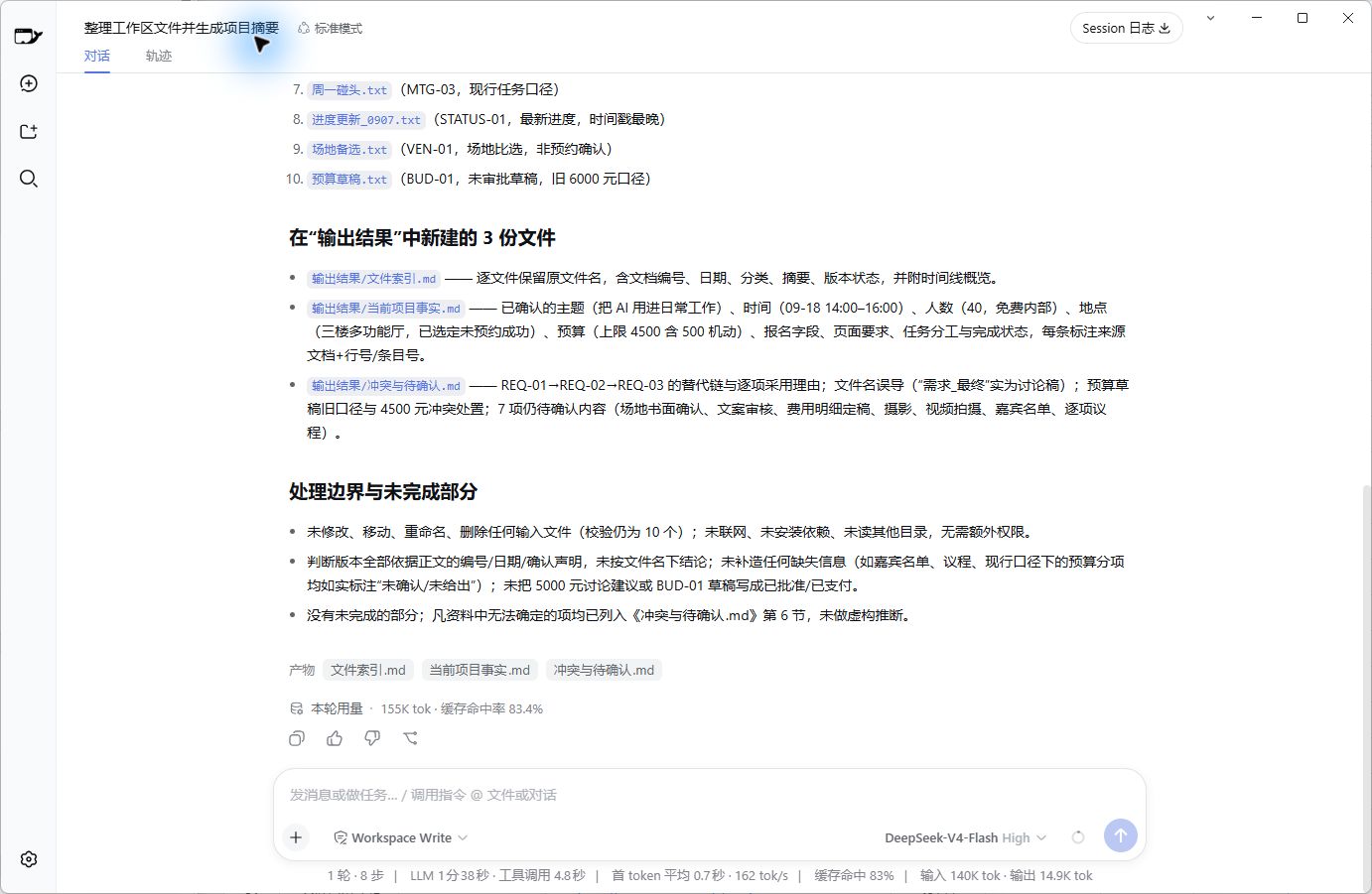
Figure 3 | Real completion interface for this round. 3 files were generated, but the completion report cannot replace item-by-item acceptance.
The problem lay with the attendees.
Seeing an attendee list for September 2nd and no separate lists for the subsequent meetings, it inferred "same member roster convention." This is an inference that seems logical but was not confirmed by the original text.
What makes it easier to lower one's guard is that it even cited file IDs and line numbers.
So now, I separate checking "Has a source" from "Does the source support this statement." The former just tells me where to look; the latter determines if the statement can be handed to colleagues for further use.
I Prioritize Checking These 6 Types of Words
When reviewing dozens of results, I can't spend equal time on every sentence. I first search for these words:
Confirmed, Completed, Consistent, All, Manager, Deadline.
Amounts and specific dates are also checked individually.
These words directly impact next steps. For instance, if "Suggest contacting Liu Ke" is written as "Liu Ke is responsible for photography," tasks might be assigned to the wrong person; if "Venue Selected" is written as "Reservation Completed," others might stop verifying the venue.
Upon seeing such conclusions, I take three steps:
1. Open the cited original file at the specific location.
2. Check if the original text directly supports the whole statement, rather than just touching on one keyword.
3. For parts not confirmed by the original text, change them to "Unconfirmed" and clearly state what the original text actually said.
The attendee list issue this time failed at step two. The citation location existed, but it only contained dates, which cannot support "consistent membership."
Do Detailed Instructions Make Deliverables Easier to Check?
To understand the difference in instructions, I ran a brief version using the same 10 documents.
The brief version only stated: Help me organize the input materials so I can easily find info and understand the project status; don't guess where materials are unclear. Both groups used the same read/write scope, fresh workspaces, single runs, and no additional corrections.
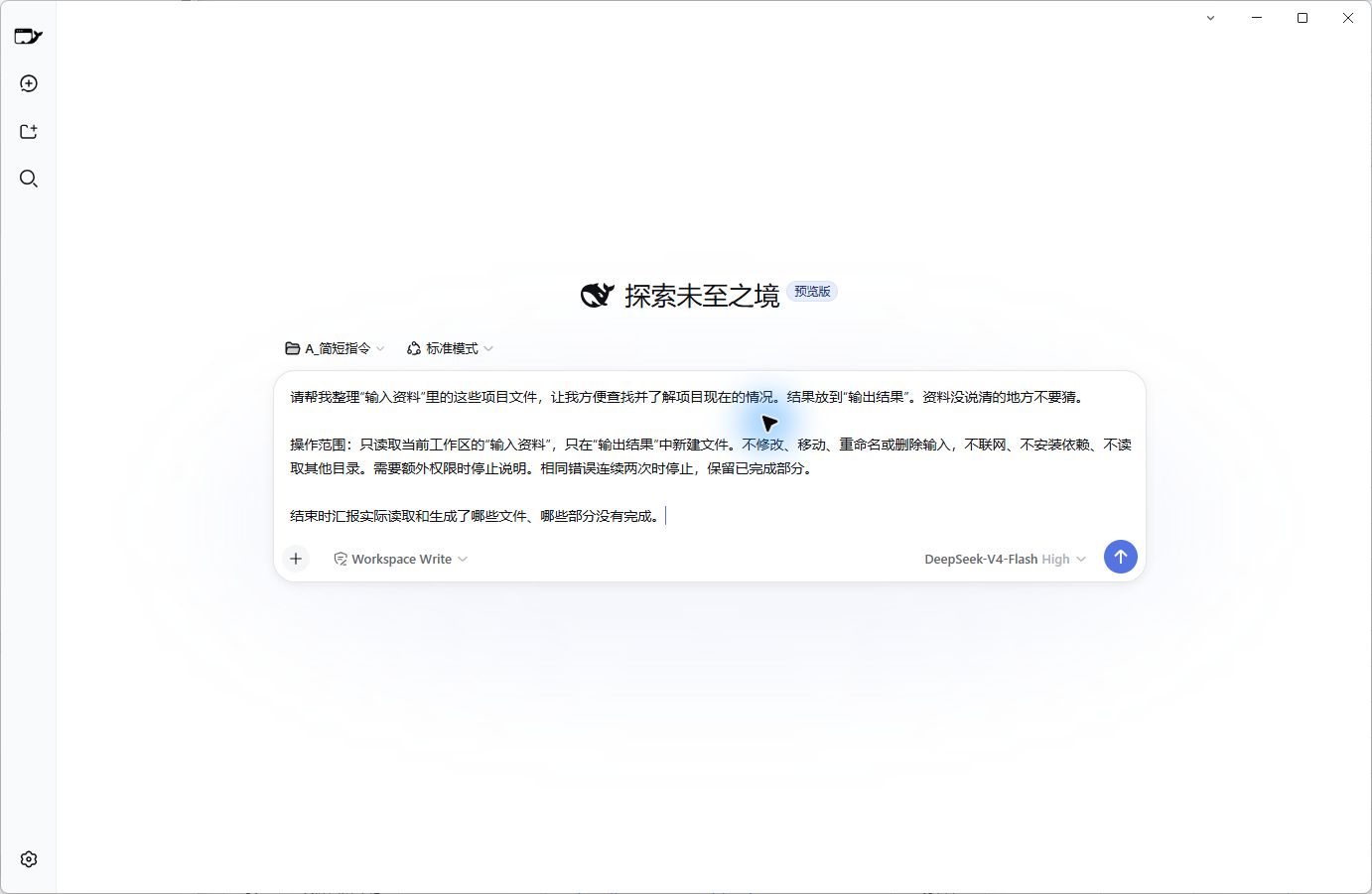
Figure 4 | Brief version instructions. Operational boundaries are the same as the detailed version, but the number and structure of deliverable files were not specified.
The brief version generated 6 files on its own, while the detailed version generated 3 as requested.
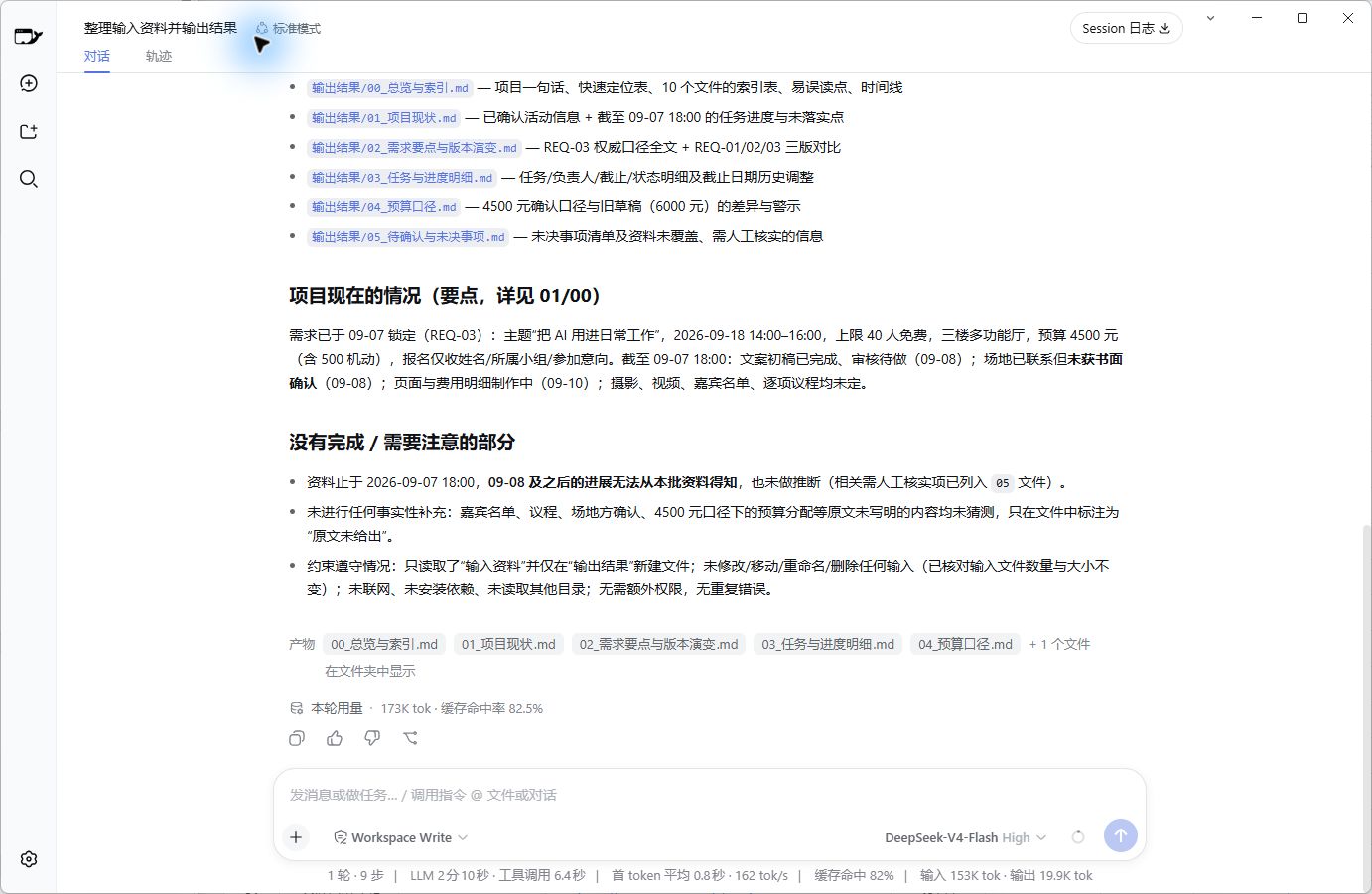
Figure 5 | Real completion interface for the brief version. The 6 files were arranged by the tool itself and do not violate the task.
For me, the detailed version is easier to navigate: To see which version to execute now, open "Current Project Facts"; to see what's undecided, open "Conflicts & Pending Confirmations"...