 Physix Frontier
Building an Event Intro Page Without Coding: How Far Can DeepSeek Harness Help?
The event theme is set, the time is fixed, and next we need to create an intro page so colleagues can clearly see the location, capacity, and registration method.
If you work in operations or administration, you can adapt this task directly: I gave DeepSeek Harness an event requirement and asked it to generate an event introduction page.
This round did generate web files, with the interface showing a duration of 1 minute 31 seconds. However, up to this record, I have only completed file and copy verification. Button clicks and layout at mobile widths have not yet been verified. Below, I clarify what it achieved and what still needs checking after delivery.
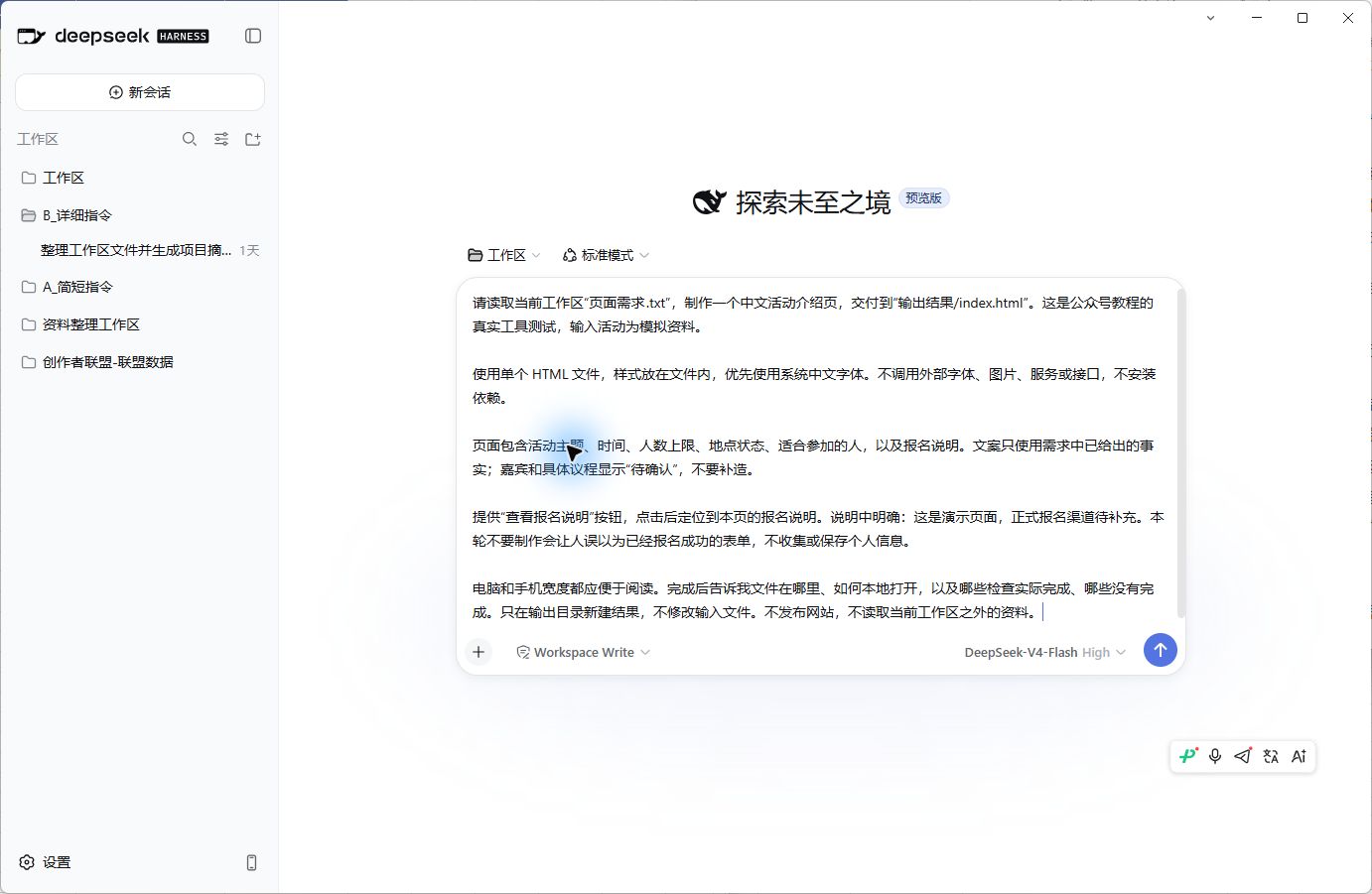
Figure 1|The actual task sent this time; input was simulated event materials.
Consolidate Confirmed Information First
In the previous article organizing materials, Harness provided a judgment about attendees sourced from nowhere in the original text. Continuing with page creation this time, I paid special attention to: Would "pending confirmation" items in the materials be written as finalized facts?
I placed verified information separately in "PageRequirements.txt," ensuring no old versions mixed in. This simulated sharing session's theme is "Integrating AI into Daily Work," scheduled for September 18, 14:00–16:00, with a capacity limit of 40 people.
The third-floor multipurpose hall is selected, but booking awaits venue confirmation. Guests and specific agendas are undecided, and no official registration channel has been provided.
These areas can remain marked as "Pending Confirmation." The intro page isn't ready for formal release, so there's no need to fabricate guest names or registration deadlines just to fill the page.
Operationally, I first created a folder on my computer containing "PageRequirements.txt" and an empty "OutputResults" folder. Then, I clicked the folder plus sign next to "Workspace" on the left side of Harness and selected the newly created folder. After switching to this workspace above the input box, I sent the task.
I required results to be saved separately without modifying original files, and specified that buttons should only view registration instructions on this page, not accept registrations.
You can insert your own event info and use the following refined requirements:
Please create a Chinese event introduction page based on this verified event material.
Ensure colleagues clearly see the theme, time, capacity limit, location status, and participation instructions.
Keep "Pending Confirmation" for unconfirmed guests, agendas, and booking statuses.
The "View Registration Instructions" button should only jump to instructions on this page, not submit registrations.
Please deliver files that can be opened locally, telling me where the files are and how to open them.
After completion, separately list items actually checked and items not yet checked.
The actual task also restricted external images, fonts, services, and dependency installations. This time, the goal was a standalone intro page for easy file retrieval and further inspection.
Files Delivered; Verify Copy First
Harness generated "index.html" in the output directory. Only one task was sent this round, with no additional modifications; the original requirements file remained unchanged.
I reviewed the text in the generated file item by item. Dates and times matched requirements, capacity remained 40. Location stated "Third-floor multipurpose hall," retaining "Booking pending venue confirmation." Guests and agendas were marked "Pending Confirmation," with no fabricated lists or schedules.
In the registration instructions, name, team affiliation, and intent to participate remained, noting phone numbers are not collected. The file contained no registration input fields, submission forms, or registration-processing scripts.
Buttons and Mobile Layout Still Need Actual Opening Checks
This time, I could verify from the file that buttons point to registration instructions on this page, and layout settings for mobile widths exist.
However, this only proves arrangements were written in the file. Whether button clicks navigate correctly and whether text overflows requires opening the page to see. Harness's completion notes also listed browser rendering verification as not performed; I haven't completed this step either, so I won't claim it passed.
After receiving similar files, you can first open them in a browser, verify time, location, and pending items, then click buttons once. Next, check if titles and body text are complete at mobile width. If issues arise, tell the AI specifically which text or button failed and how, rather than just saying "optimize it," to facilitate continued modification.
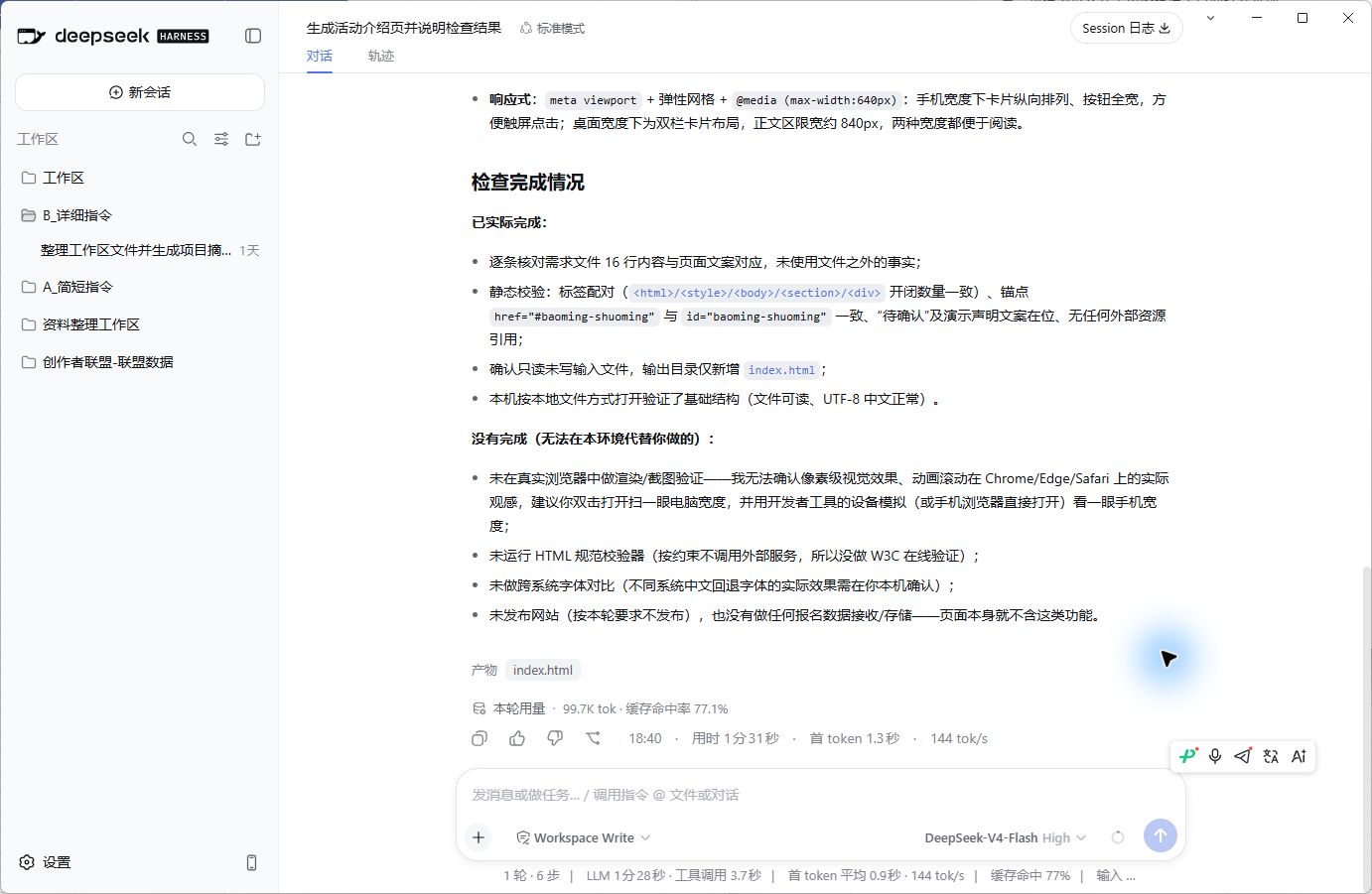
Figure 2|Actual completion interface. Shows tool delivery notes, not webpage appearance.
Cost of This Generation
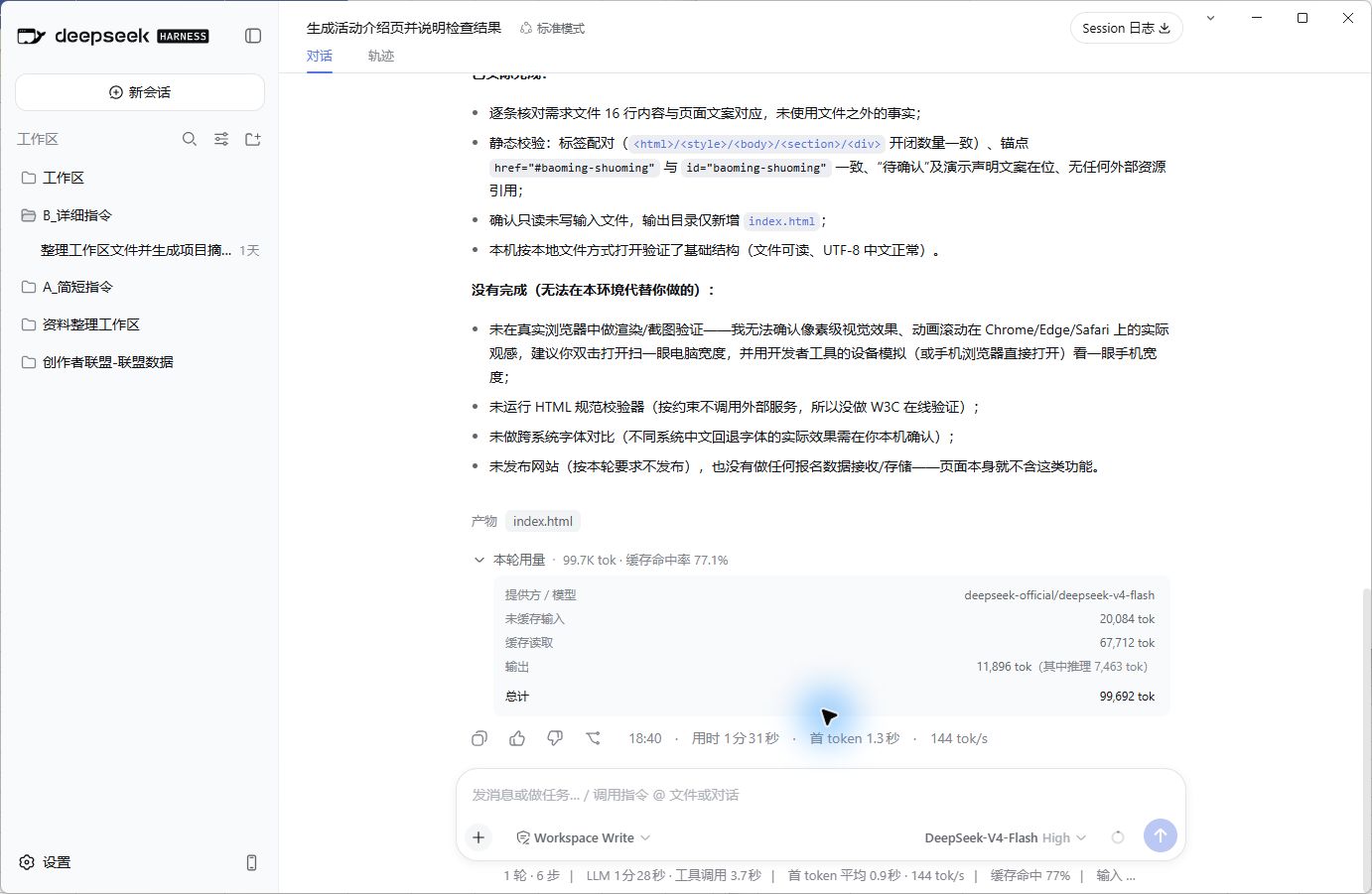
Figure 3|Actual usage this round; inference usage included in output.
Interface recorded 1 round, 6 steps, 8 tool calls, taking 1 minute 31 seconds. This is the tool-displayed execution time, excluding my preparation and verification time.
This ran after 6 PM Beijing Time. Calculated by interface usage and Flash idle-time pricing at that moment, model cost was approx. 0.087 RMB (~0.09 RMB). This is a usage estimate, not a billed deduction, and excludes labor costs; pricing basis: DeepSeek Official Pricing Docs (https://api-docs.deepseek.com/zh-cn/quick_start/pricing/).
Currently, I have a locally generated web file with main copy verified. Before formal use, page appearance and button checks are needed, event confirmation info must be filled, and release arranged. Local file paths cannot be directly shared as accessible links for colleagues...